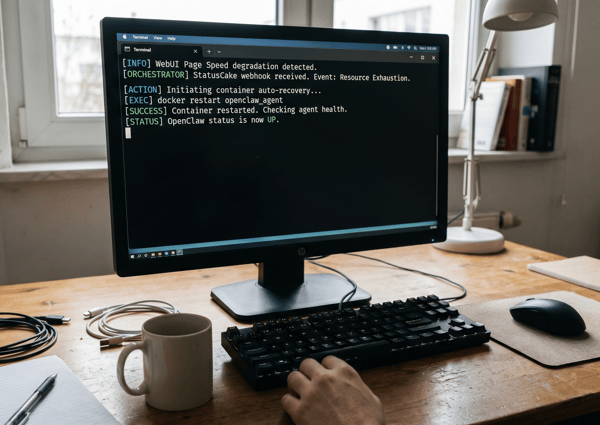
StatusCake is good at telling you that something might be wrong. What happens next is where things sometimes get messy. One alert goes straight to a chat room. Another wakes the wrong person. A third ends up getting missed because the site had a brief wobble and recovered before anyone looked.
Hermes is useful in that gap.
Instead of treating StatusCake as the whole incident workflow, you can put Hermes behind the webhook and use it as a small verification and routing layer. The pattern is simple:
StatusCake detects the issue
Hermes receives the webhook
Hermes logs the raw request
Hermes checks the target from its own network perspective
Hermes decides whether the alert is actually worth escalating
Hermes sends the notification and keeps a local event history
That gives you something better than “dump every alert into a channel” without dragging in a full incident-management platform.
The short version
StatusCake detects. Hermes verifies, routes, emails, and remembers.
That is the whole idea.
Why bother adding Hermes at all?
Because most teams do not want every uptime alert treated the same way.
A down alert at 2:14pm during business hours is not the same as a down alert at 2:14am. A monitor flapping for ten seconds is not the same as a real outage. And when something goes wrong, you usually want a record of what arrived, what Hermes saw, and who got notified.
Hermes gives you a good place to add that logic.
In this setup it does four jobs:
It receives the webhook in a deterministic way.
It verifies whether the site is actually down from where Hermes is running.
It applies simple time-of-day routing.
It keeps a local incident history and can send a daily summary by email.
That is enough to make a cheap monitoring stack feel much more operationally sane.
The architecture
This is intentionally small.
StatusCake
  to webhook request
  to local receiver beside Hermes
  to raw request log
  to verification step
  to escalation decision
  to immediate email notification
  to local event history
  to daily summary email
There is no requirement to package this as a formal Hermes skill on day one. If your goal is to get a useful workflow running quickly, an ad hoc setup with a few scripts and a config file is enough.
That is the version I would recommend first.
Why webhook-first is the right move
You could try to build something around email parsing, but that is the wrong direction here.
Webhook delivery is cleaner for three reasons:
StatusCake already supports it natively
you keep the alert payload structured instead of scraping email text
debugging gets much easier because you can log the exact request body and headers
In practice, that last bit matters more than people expect. When an alert does not behave the way you thought it would, the first question is usually: did StatusCake send what I think it sent?
If you keep a raw inbound log, you can answer that immediately.
The receiver can stay tiny
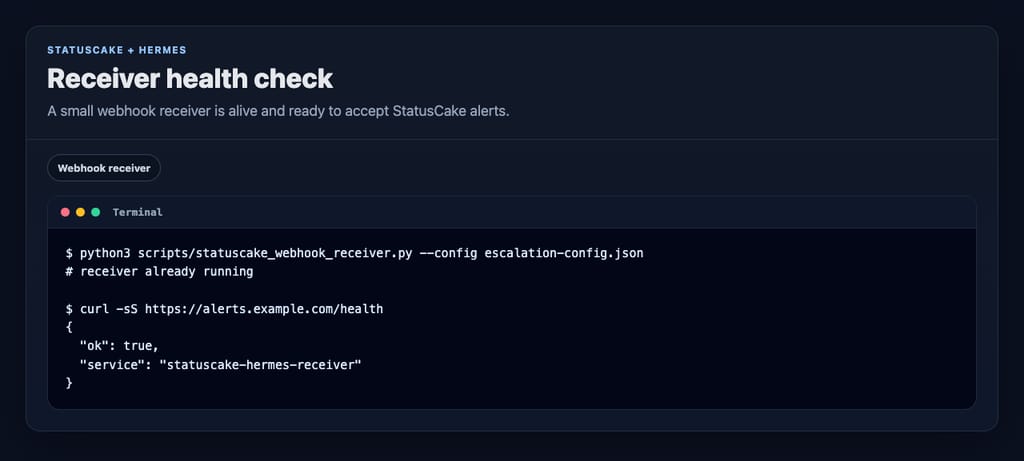
You do not need a huge service for this. A small local HTTP receiver is enough.
Expose that locally running receiver with whatever public entrypoint you trust for machine-to-machine requests. For demos, a Cloudflare quick tunnel is usually fine. The important part is that StatusCake can reach a route like this:
One small gotcha: loading /webhooks/statuscake-alerts in a browser proves nothing. It is a webhook route, not a page. Use /health for browser checks and an actual webhook test when you test the alert path.
Log first, validate second
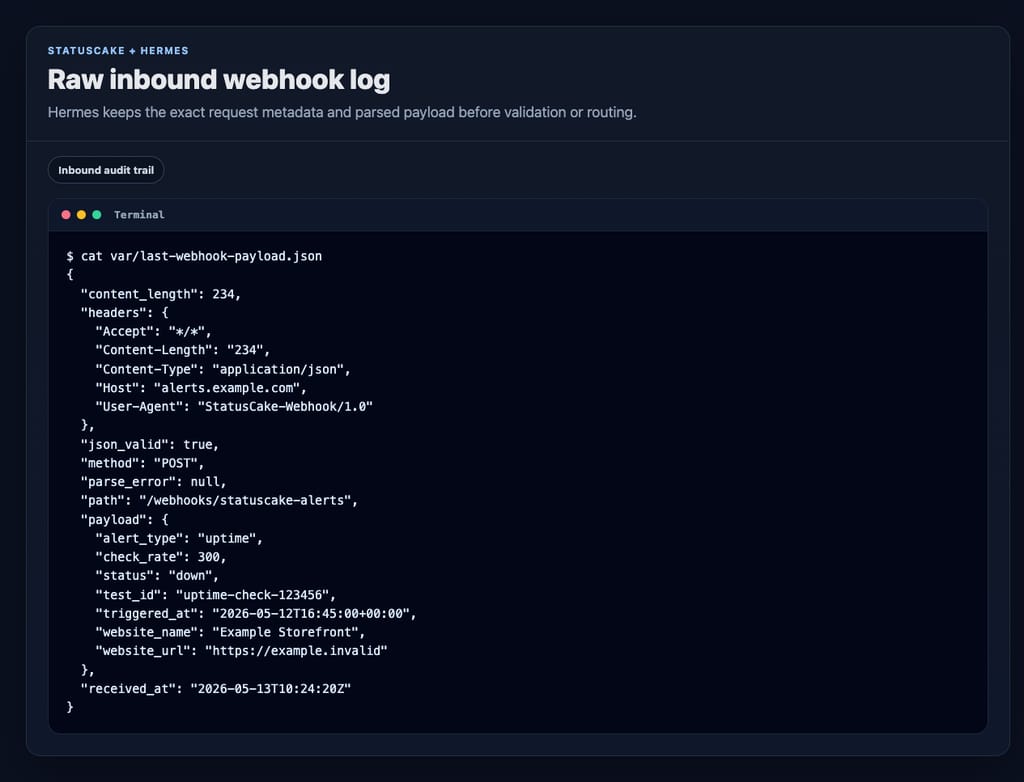
One of the best decisions in this design is to write the inbound request to disk before doing anything clever with it.
That gives you two useful artifacts:
var/last-webhook-payload.json for quick inspection
var/incoming-webhooks.jsonl as an append-only inbound ledger
That means you can answer the boring but important questions later:
Did the webhook arrive?
Was the payload malformed?
Did the sender include the token?
Did Hermes reject it, or was it never delivered?
Without that log, webhook debugging turns into folklore.
Verification is where this gets interesting
This is the part that makes Hermes more than a relay.
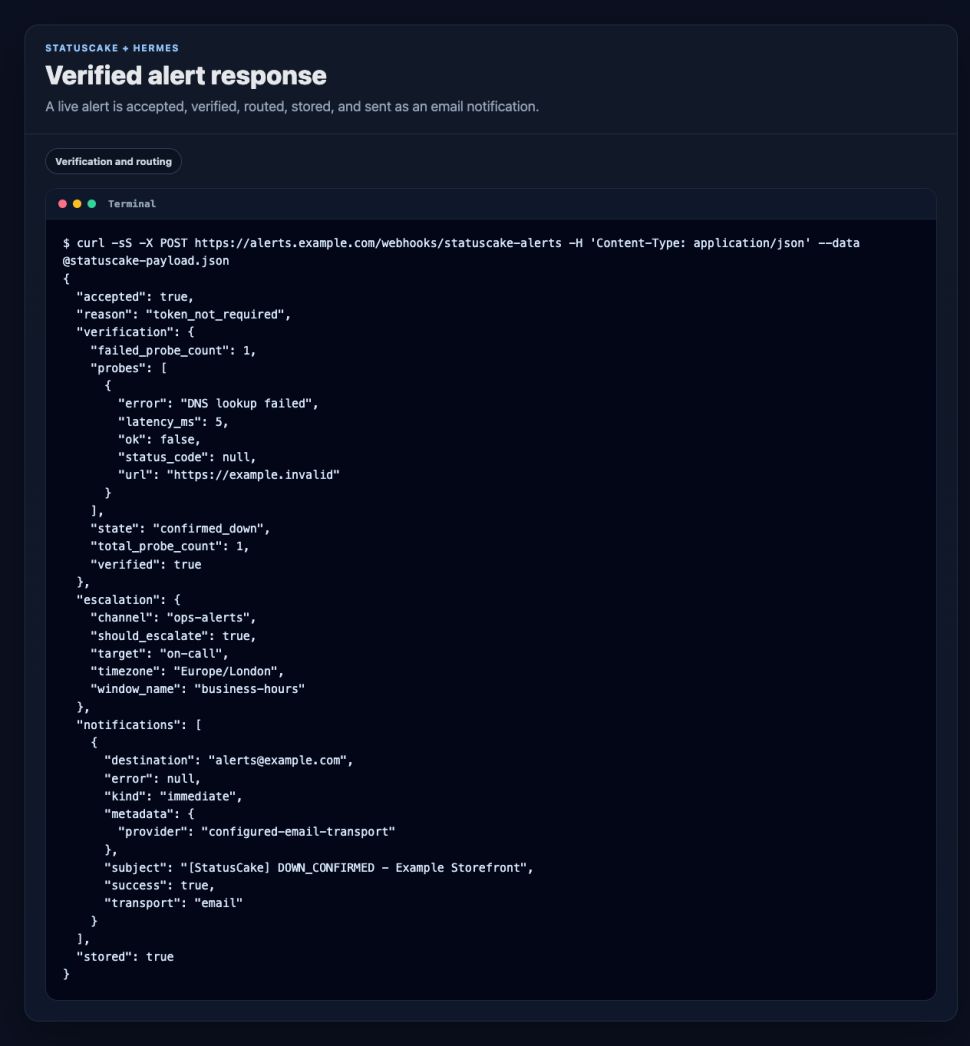
When a down alert comes in, Hermes does not need to panic immediately. It can probe the target itself and decide whether the outage looks real.
A detail worth calling out: leaving probe_urls empty is not a bug. In this setup, that tells Hermes to verify against the website URL coming from the StatusCake payload. That is a good default when you want the monitor to carry its own target.
If you do have a better health endpoint than the public homepage, use it.
Time-aware escalation without buying more software
A lot of teams want basic routing rules but do not want a full paging product yet.
That is fine. Hermes can do the simple version well.
That is enough to stop every alert from behaving like a fire alarm.
Immediate email is often enough
You do not need to overcomplicate delivery either.
For this build, immediate alert delivery is handled through sendmail, which keeps the integration dead simple on a machine that already knows how to send mail.
A confirmed DOWN_CONFIRMED or UP_CONFIRMED event triggers an email right away. In this example, messages go straight to the configured alert recipient.
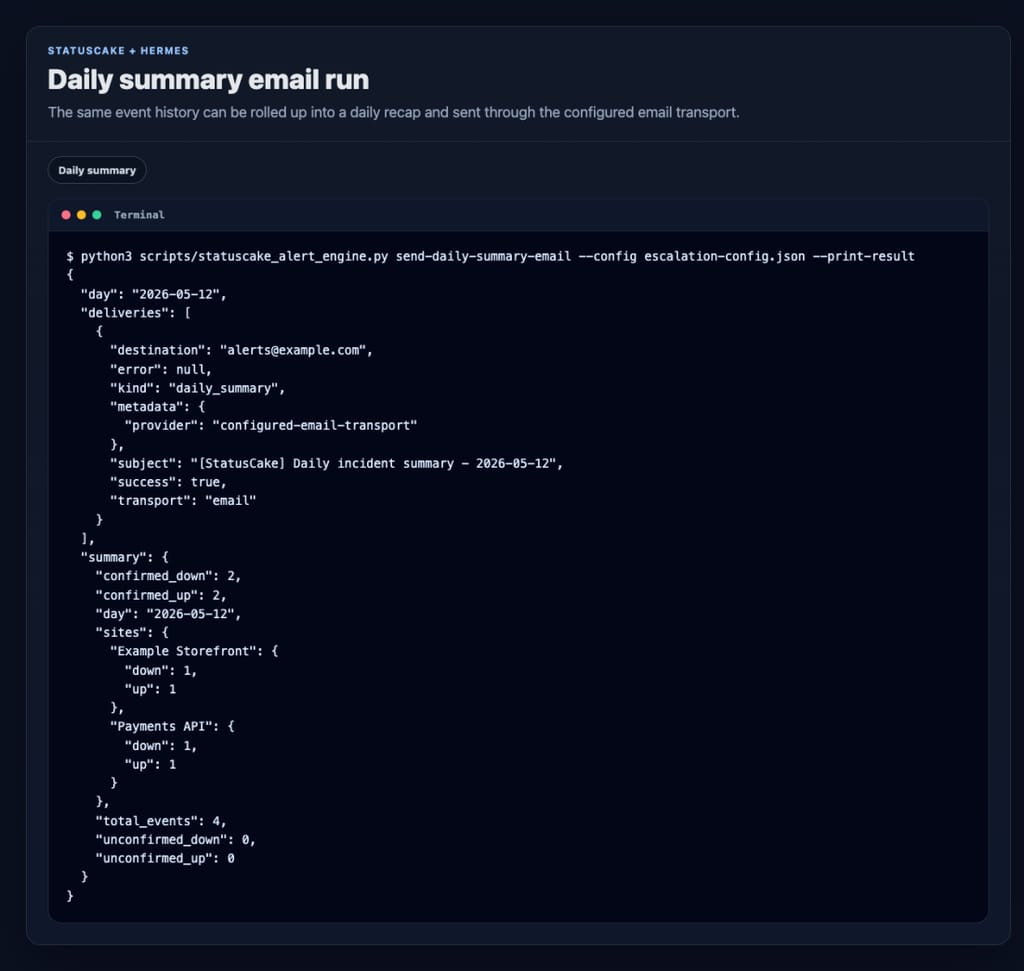
And if you want the recap every morning, schedule the wrapper script:
python3 scripts/statuscake_daily_summary_email.py
In this project, that job is scheduled for 09:00 Europe/London each day.
The event store is deliberately boring
Every verified event gets appended to var/alerts.jsonl.
That sounds plain because it is plain. That is also why it is useful.
A JSONL file gives you:
a durable incident ledger
easy grepping and ad hoc analysis
simple daily summaries
a way to compare raw StatusCake signals with Hermes-confirmed incidents
You do not need a dashboard before you have a history.
Start with the history.
A quick local test loop
Once the receiver is up, you can test the full path locally with a small sample payload that looks like a StatusCake alert.
Local webhook route:
http://127.0.0.1:8934/webhooks/statuscake-alerts

website_name: Example Storefront
website_url: https://example.com
status: down
check_rate: 300
test_id: 123456
alert_type: uptime
The response tells you a lot in one go:
whether Hermes accepted the payload
whether verification passed
which escalation window matched
whether the event was stored
whether an email notification succeeded
That is the kind of tight feedback loop you want when you are building monitoring workflows.
What this setup is good for
This pattern is a good fit if you want:
fewer false positive escalations
lightweight time-based routing
a raw audit trail of webhook delivery
immediate email notifications without a big notification stack
simple daily incident recaps
Final thought
The useful part of this setup is not that Hermes can receive a webhook. Lots of tools can receive a webhook.
The useful part is that Hermes adds judgment after detection.
StatusCake tells you that something might be broken. Hermes can check whether it really looks broken, decide who should hear about it, send the email, and keep the record for tomorrow morning’s summary.
That is a much better workflow than forwarding every alert and hoping the humans sort it out. And it could end up being a lot cheaper than running a full triage/escalation stack via cloud services.
7min read A website may be standing and still be in trouble. It may answer a request, return a cheerful 200 OK, and yet load slowly enough that visitors begin to lose patience. Its certificate may be nearing expiry. Its domain records may have changed. A server may be filling its disk in the background, patient and
6min read StatusCake tells you that something might be broken. Hermes can check whether it really looks broken, decide who should hear about it, send the email, and keep the record for tomorrow morning’s summary.
3min read The allure of OpenClaw is undeniable. You deploy a highly autonomous, self-hosted AI agent, give it access to your repositories and inboxes, and watch it reason through complex workflows while you sleep. It is the dream of the ultimate 10x developer tool realized. But as any veteran DevOps engineer will tell you: running an LLM-backed
7min read There are cloud outages, and then there are us-east-1 outages. That distinction matters because failures in AWS’s Northern Virginia region rarely feel like ordinary regional incidents. They tend instead to expose something larger and more uncomfortable: too much of the modern internet still behaves as though one place is an acceptable concentration point for infrastructure,
7min read Artificial intelligence is making software easier to produce. That much is already obvious. Code that once took hours to scaffold can now be drafted in minutes. Boilerplate, integration logic, tests, refactors and small internal tools can be generated with startling speed. In some cases, even substantial pieces of implementation can be assembled quickly enough to
10min read Whilst AI has compressed the visible stages of software delivery; requirements, validation, review and release discipline have not disappeared. They have been pushed into automation, runtime and governance. The real risk is not that the lifecycle is dead, but that organisations start acting as if accountability died with it. There is a now-familiar story about
James Barnes
April 2, 2026
Sign up for the StatusCake newsletter
Want to know how much website downtime costs, and the impact it can have on your business?
Find out everything you need to know in our new uptime monitoring whitepaper 2021