


StatusCake

Zapier Set Ups – Keep a log of tests added to StatusCake

change log

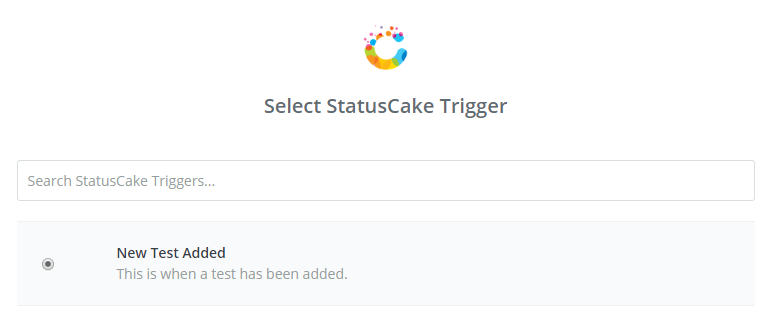
There’s a lot that can be automated within StatusCake using the Zapier app. Today we’ll take you through how to keep an automatic log of any tests added to your StatusCake account, all the data will be stored on Google Sheets, and the data for each new test will occupy one row.

Zap2A

We do store similar data for you with our Audit log feature, but using this method allows you to keep your own hard copy which can be downloaded for offline access.

Before you start, you should decide which pieces of data will be useful. Zapier is able to grab the following information upon test creation:

  • Test Name
  • Test URL
  • Test Type
  • Test initial Status (UP/DOWN)
  • Test ID
  • Paused (0/1)
  • Check Rate
  • Contact Groups (Returned as CUID)
  • Test Tags

You will be prompted to assign these data fields to a column in your spreadsheet, assign the ones that you would like to store, and you will then be able to see the expected results within Zapier.

zapA3

Once you submit the Zap and enable it, a new row will be added to the spreadsheet each time that you add a new test within StatusCake.

Share this

More from StatusCake

When Code Becomes Cheap: The New Reliability Constraint in Software Engineering

4 min read How AI Is Shifting Software Engineering’s Primary Constraint For most of the history of software engineering, the primary constraint was production. Code was expensive, skilled engineers were scarce, and shipping features required concentrated human effort. Velocity was limited by how fast people could reason, implement, test, and deploy. That constraint shaped everything from team size,

Buy vs Build in the Age of AI (Part 3)

5 min read Autonomous Code, Trust Boundaries, and Why Governance Now Matters More Than Ever In Part 1, we looked at how AI has reduced the cost of building monitoring tools. Then in Part 2, we explored the operational and economic burden of owning them. Now we need to talk about something deeper. Because the real shift isn’t

Buy vs Build in the Age of AI (Part 2)

6 min read The Real Cost of Owning Monitoring Isn’t Code — It’s Everything Else In Part 1, we explored how AI has dramatically reduced the cost of building monitoring tooling. That much is clear. You can scaffold uptime checks quickly, generate alert logic in minutes, and set-up dashboards faster than most teams used to schedule the kickoff

Buy vs Build in the Age of AI (Part 1)

5 min read AI Has Made Building Monitoring Easy. It Hasn’t Made Owning It Any Easier. A few months ago, I spoke to an engineering manager who proudly told me they had rebuilt their monitoring stack over a long weekend. They’d used AI to scaffold synthetic checks. They’d generated alert logic with dynamic thresholds. They’d then wired everything

Alerting Is a Socio-Technical System

3 min read In the previous posts, we’ve looked at how alert noise emerges from design decisions, why notification lists fail to create accountability, and why alerts only work when they’re designed around a clear outcome. Taken together, these ideas point to a broader conclusion. That alerting is not just a technical system, it’s a socio-technical one. Alerting

Designing Alerts for Action

3 min read In the first two posts of this series, we explored how alert noise emerges from design decisions, and why notification lists fail to create accountability when responsibility is unclear. There’s a deeper issue underneath both of those problems. Many alerting systems are designed without being clear about the outcome they’re meant to produce. When teams

Want to know how much website downtime costs, and the impact it can have on your business?

Find out everything you need to know in our new uptime monitoring whitepaper 2021

*By providing your email address, you agree to our privacy policy and to receive marketing communications from StatusCake.